Quickstart
Everything below runs on the bundled offline data — no download needed. Import once:
That single import also gives you agis.plt, agis.np, agis.pd and agis.gpd.
1. Load boundaries by name
gdf = agis.load_boundaries("Bangladesh", level="district")
dhaka = agis.load_boundaries("Bangladesh", "district", within="Dhaka")
Friendly level names (country, state, district, upazila, …) map to the right GADM level
for each country. See Boundaries.
2. A styled map in one call
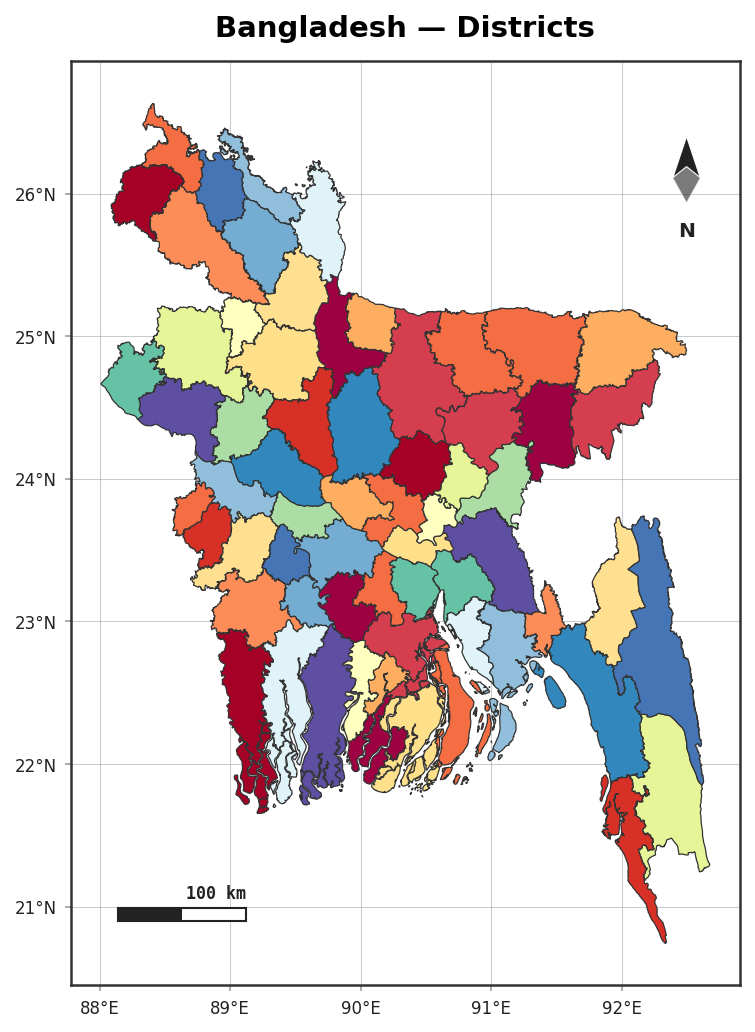
3. Choropleth from a spreadsheet — messy names welcome
Names like Chittagong match Chattogram automatically. See Choropleths.
4. Collected data as graduated symbols
ax = agis.plot(gdf, highlight="Comilla")
agis.points(ax, survey_df, value="value", size_by="value",
            cmap="magma", legend=True)
5. Terrain relief down to a realistic sea
6. The signature multi-panel locator
The fluent builder:
agis.StudyArea("India", context_level="state").zoom_into(
    "West Bengal", detail_level="district").figure()
…or the whole layout in one call with a template:
agis.study_area(
    "Bangladesh",
    steps=[("division", "Dhaka"), ("district", "Madaripur")],
    template="cascade", terrain=True,
)
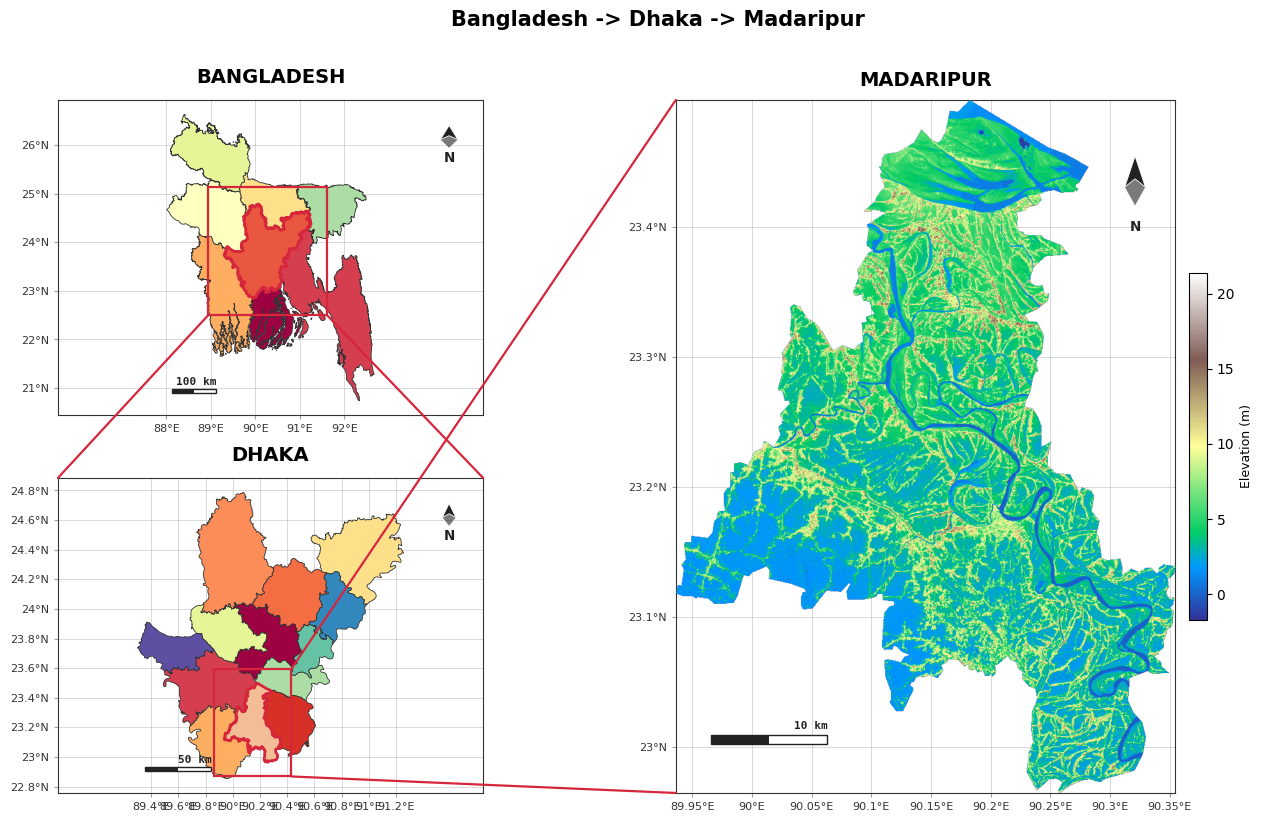
Templates: single · two · cascade · series · grid. See Study-area layouts.
7. Export at any DPI
Next: the User guide covers each feature in depth, or jump to a Tutorial.